Reference
On this page
Connectors
The Connectors tab brings outside services and programs into Nawa: Gmail, Google Calendar and other services Nawa reads directly, MCP servers and plugins, and the permission each of their tools has. For adding a connector step by step, see Plugins and connectors.
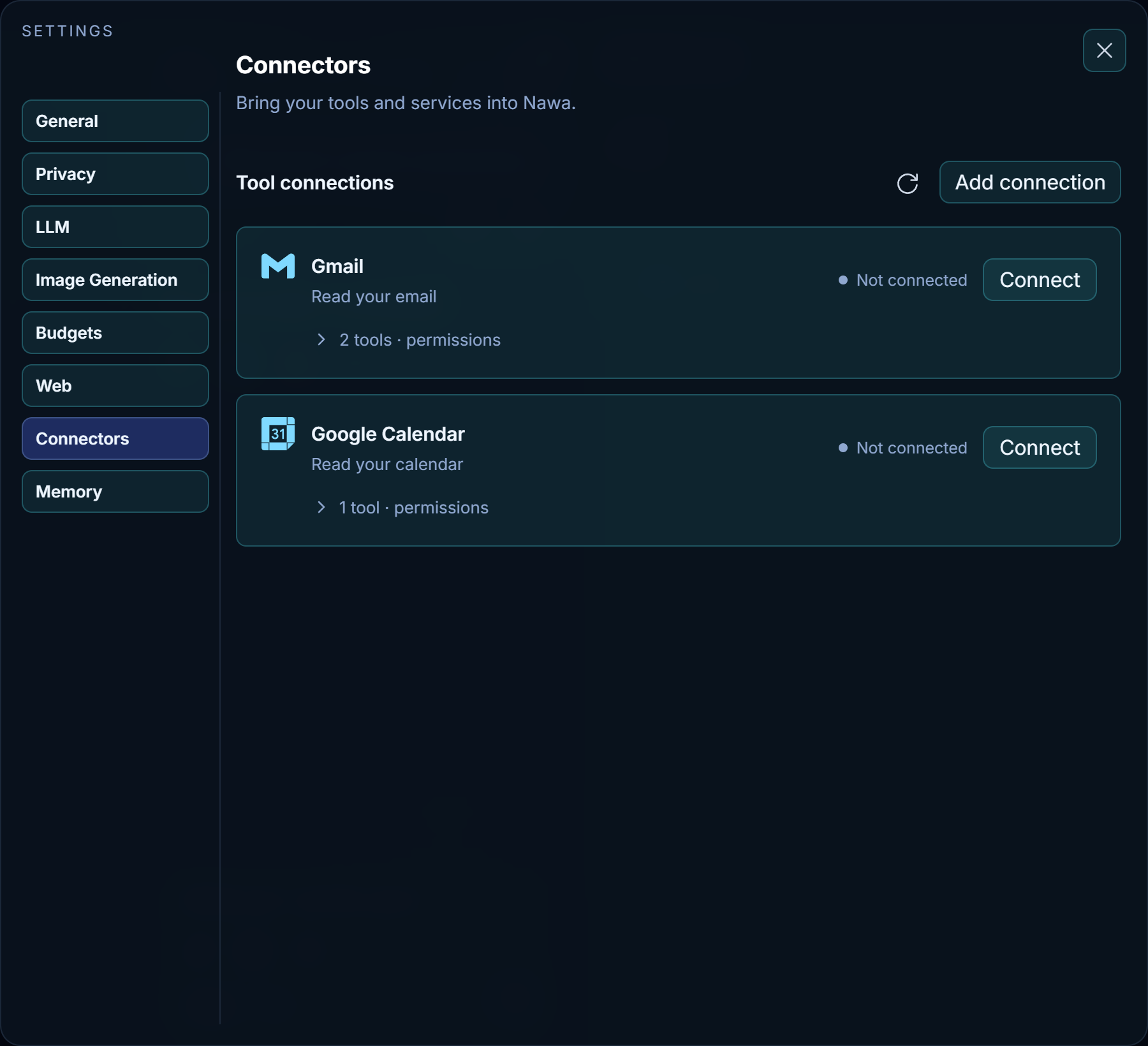
Tool connections
The list shows the services Nawa can connect directly and every connection you have added. Each row shows its logo, name, status, and relevant connection controls. Expand tools · permissions to find tools and change their permissions. Known applications have bundled logos; other servers can supply MCP icon metadata. Installed plugins can supply package artwork.
Gmail, Google Calendar and Outlook
Gmail and Google Calendar are separate connections, each with its own sign-in that asks only for read access to that service, so you can connect one without the other. Outlook and Outlook Calendar work the same way and are listed once this installation has a Microsoft sign-in client.
- Not connected — Connect first says what connecting gives Nawa: read-only access to that service and your account's name and email address, with what Nawa reads sent to your AI model provider to answer you. It links Nawa's privacy policy. Continue to Google (or Microsoft) opens the service's sign-in in your browser; Cancel opens nothing. After you approve, the page says the service is connected and opens Nawa on this tab (your browser may first ask whether to open Nawa); its Return to Nawa button does the same. Nawa's window shows the new connection when you return to it.
- Connected — Disconnect removes the connection from this computer and, for Google, withdraws Nawa's access in your Google account. Gmail and Google Calendar connected with the same Google account share one Google sign-in, and withdrawing it ends both, so Google keeps listing Nawa until you disconnect the second of them. A line under the list says what happened at Google, including a refusal or an unreachable Google. Microsoft has no way for an app to withdraw only its own access, so for Outlook remove Nawa from your Microsoft account yourself.
- Needs authentication or Disabled — the sign-in has expired or been withdrawn; Reconnect signs in again.
- Not configured — a connection whose provider no longer has a sign-in client. Gmail and Google Calendar sign in with Nawa's own client unless Nawa's configuration or the
NAWA_GOOGLE_CLIENT_IDenvironment variable names another; Outlook needs a client from the configuration orNAWA_MICROSOFT_CLIENT_ID.
The control beside the message box chooses which connected services a chat may use. A service switched off there is not read in that chat. The Refresh connections icon reloads the accounts, tool lists, and permissions.
Applications and services
MCP connections appear alongside Gmail and Google Calendar. Plugin-owned servers are managed inside their plugin. Each entry shows its status, an enable switch, refresh and remove controls, and its tools.
Add connection opens two choices:
- Browse connectors — vendor MCP servers for Gmail, Google Calendar (Google's preview servers, which need your own Google Cloud project; the Gmail and Google Calendar rows above need none), Drive, Slack, Jira, Linear, GitHub, Notion and Stripe, plus local Chrome control and Microsoft 365 (Work IQ). Choosing a card opens a prefilled setup form; nothing is added until you press Add.
- Add custom connector — any MCP server: an
https://address with optional headers, or a command that runs on this computer, with its arguments.
Each tool of a connection has its own permission, chosen from its entry: Ask first, Always allow or Off, and for plugins also Automatic, where routine observations run and actions that change something ask.
Sign-in setup
Servers that register OAuth clients automatically need no client ID. Others expose Advanced settings in the setup form. Nawa uses a loopback callback on a changing port, so register a Desktop / native application OAuth client, not a web client with a fixed callback URL. Credentials are stored encrypted.
Google's remote servers are in the Workspace Developer Preview. Your account must be accepted into the preview, and you must enable the product API and its MCP API in a Google Cloud project. Configure consent, scopes and test users, then create a Desktop app OAuth client. Enter its client ID and secret in the prefilled form, add the connection, and press Sign in. Google's Gmail setup guide describes the project and consent requirements.
Microsoft 365 (Work IQ) runs Microsoft's pinned local server using Nawa's bundled Node. It requires a work or school account, a Microsoft 365 Copilot license and tenant administrator consent; it does not provide personal Outlook.com access. Its tools handle the Microsoft sign-in and license agreement. See Microsoft's Work IQ setup.
Permissions inside each connection
Expand a connection's tools · permissions to find a tool, change one permission, or use All tools to change the whole connection. Your filter and expanded state are retained when a permission changes or you refresh.
| Selection | Meaning |
|---|---|
| Always allow | Nawa uses the tool without asking |
| Ask first | A card in the chat asks each time, except in Bypass permissions; see Permissions |
| Off | The tool is never offered to the model |
| Automatic | Enabled plugin authority applies to routine work; consequential commitments still need authorization |
Email permissions (search email, read email) are shared by every connected mailbox, and the calendar permission (list calendar events) by every connected calendar; each row states this. An email tool is offered to the model only when a mailbox is connected and enabled for the chat, and the calendar tool only when a calendar is. MCP permissions belong to each individual connection.