Reference
Web
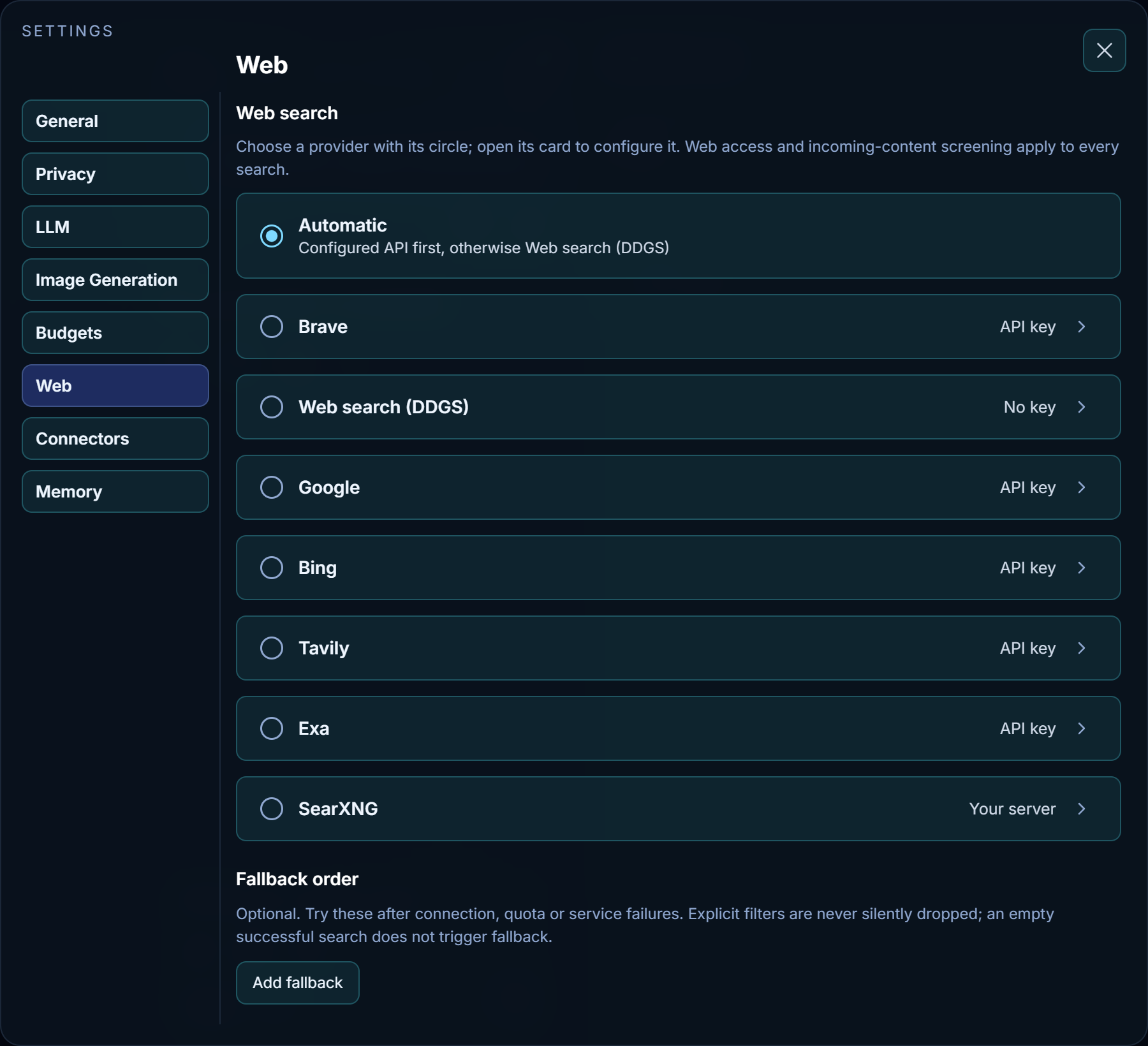
Choose a search provider using the circle on its card; the choice saves automatically. Open a named provider's card to configure it. Automatic is the default on a new installation: it uses the first configured API in the list, or Web search (DDGS) when no API is configured.
| Provider | Setup |
|---|---|
| Brave | A Brave Search API key |
| Web search (DDGS) | No key; searches multiple engines in the background without an open browser |
| Google and Bing | One SerpApi key, entered on the Google card and shared by both |
| Tavily | A Tavily API key |
| Exa | An Exa API key |
| SearXNG | Your server URL, with JSON search enabled; a key is optional |
Keys are stored encrypted in your account. Connect saves the settings first, then performs a real search. It may use provider credits. Configured means the settings are present; Connected means the test succeeded.
Fallback order is optional. Nawa tries those providers after a connection, quota or service failure. It does not retry an empty successful search with another provider. When a search includes provider-specific filters, incompatible fallbacks are skipped and reported rather than silently dropping the filters.
Search controls follow each provider's capabilities: domains, dates, language, region, adult-content filtering and pagination are available where supported. A provider that returns a whole page reports the actual number returned, even when it exceeds the requested count. Nawa preserves the provider's order and labels incomplete or failed searches.
Every search uses the same incoming-content screening as other external tools. Source text is treated as external data, including titles, snippets, URLs, unknown fields and error messages. If screening is unavailable or fails, that content is withheld from the model. Screening reduces prompt-injection risk; it does not guarantee that every attack will be detected.
Search results help Nawa find sources; they do not replace reading the supporting articles. Nawa reads captured source text in portions, starting at about 2,000 tokens and choosing more or less as needed. Continuing a read uses the saved capture, so changing the portion size does not repeat or skip text. Each portion passes through incoming-content screening. Retained sources can be read again in later turns without downloading the same capture again; incomplete captures remain labeled.
Web search (DDGS) sends queries to external search engines. Availability and rate limits vary by engine. Failed searches are reported as incomplete and can be retried; you can also configure an API provider as a fallback. No verification window needs to remain open. Previously saved DuckDuckGo selections use this background provider automatically.
Whether a chat may use the web at all is chosen from the composer, not here. When the web is off, see Troubleshooting.